
A story creator for kids who can’t type yet
A four-year-old cannot type a prompt and cannot read “Tap here to begin”. Any story creator that needs either is really an app for the parent. Your child tells the story. Moss helps them read it.
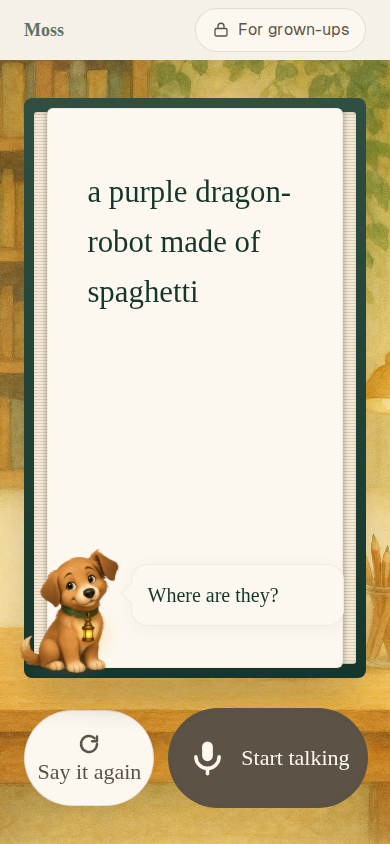
Built for the child, not the parent
Every instruction is spoken. The one control that matters is a big microphone, and holding it is the whole gesture. Your child provides the ideas and words. Moss helps turn them into a story.
The flow, step by step
- Moss asks a question out loud (“Who or what is your story about?”).
- The child holds the microphone and answers.
- The words land on the page. They are the child’s words.
- A few answers later, Moss paints the pictures and the book is ready to hear or to read.
What stays quiet
There are no timers on the microphone, no scores on the story, and no “try again” for a sentence a child meant. If a child needs support, the moment stays calm.
Privacy, plainly
The microphone is on only while your child reads or tells a story. No ads. No sponsored content. Ever.
Read exactly what we save on the What we save page.
Keep reading
- See how Moss works.
- Compare: An honest kids’ reading app
- Compare: Moss Learning vs Ello
- Guide: An app where kids write their own book — by talking
- Guide: An app that listens to your child read — and what that actually means
Ready to try it? Join the free pilot below.
Moss Learning is opening to families soon — we'll hold your spot.